
Kanban vs Gantt: Best Tools for Your Workflow
Ever feel like your project management is a chaotic dance of sticky notes and frantic emails? We’ve all been there! Juggling tasks, deadlines, and team members can be a real headache. But fear not, because there are tools out there designed to bring order to the chaos. Two of the most popular contenders are Kanban and Gantt charts. They’re like the Batman and Superman of project management – both super helpful, but with totally different approaches.
So, which one is right for your workflow? That’s the million-dollar question, isn’t it? Choosing between Kanban and Gantt can feel overwhelming, especially if you’re new to the project management game. But don’t sweat it! We’re here to break down the differences, highlight the strengths and weaknesses of each, and help you decide which tool will make you a project management superhero.
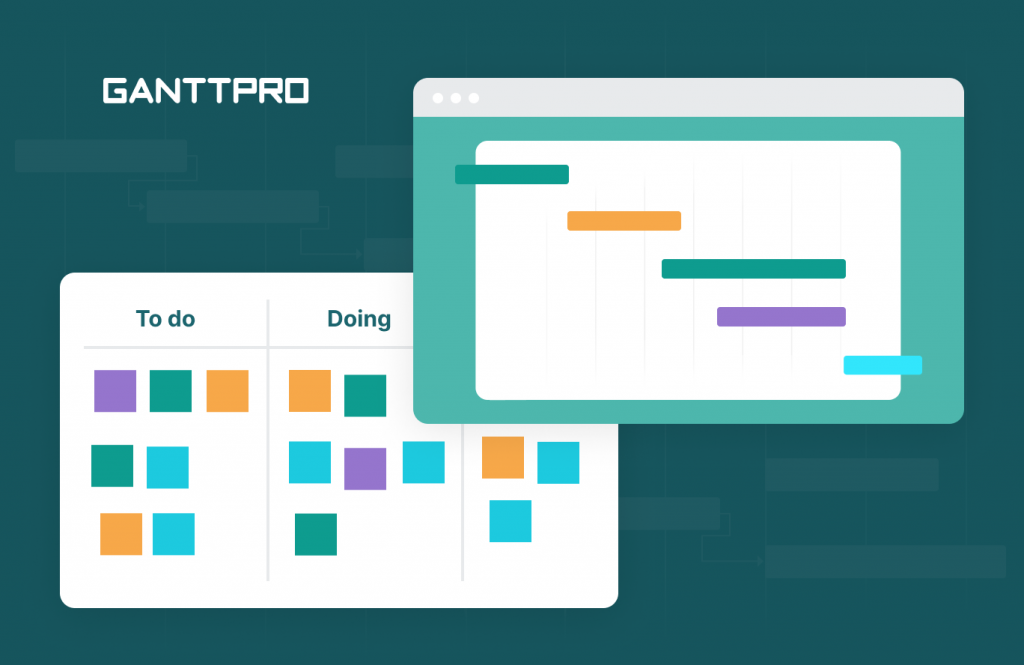
Think of this as your friendly guide to navigating the Kanban vs. Gantt battlefield. We’ll dive into the core principles of each method, explore their ideal use cases, and even throw in some real-world examples to help you visualize how they work. By the end of this article, you’ll be armed with the knowledge to confidently choose the best tool for your team and projects. Let’s get started!
What is Kanban? The Visual Workflow Master
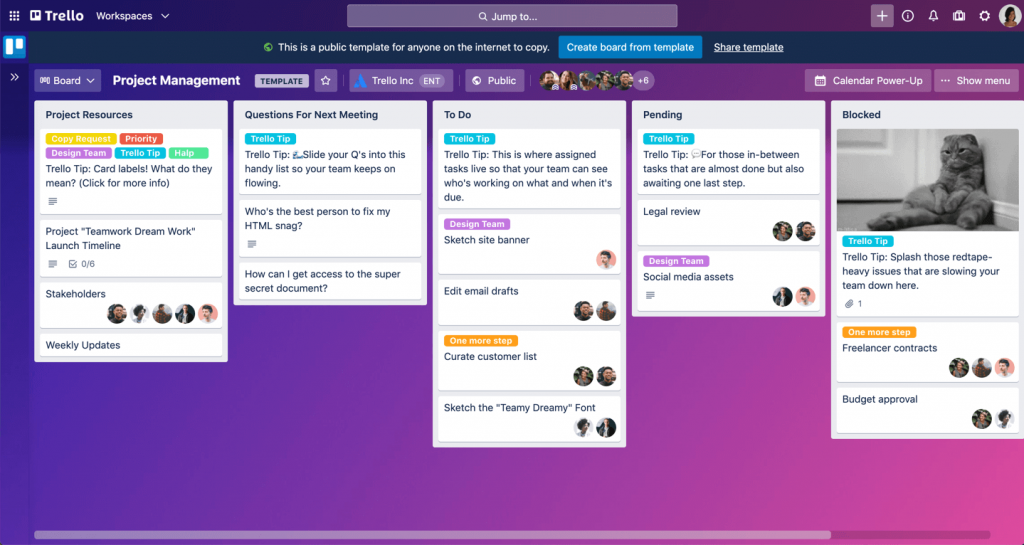
Kanban is like a visual roadmap for your tasks. It’s all about visualizing your workflow, limiting work in progress (WIP), and focusing on continuous improvement. Imagine a whiteboard divided into columns representing different stages of your project, like “To Do,” “In Progress,” and “Done.” Tasks are represented by cards that move across the board as they progress through each stage.
Key Principles of Kanban
- Visualize the Workflow: This is the foundation of Kanban. By visualizing your workflow, you can easily identify bottlenecks and areas for improvement.
- Limit Work in Progress (WIP): Limiting WIP helps you focus on completing tasks before starting new ones. This reduces multitasking and improves efficiency.
- Manage Flow: Kanban focuses on optimizing the flow of work through the system. The goal is to ensure a smooth and consistent flow, minimizing delays and bottlenecks.
- Make Process Policies Explicit: Clearly define the rules and guidelines for your workflow. This ensures everyone is on the same page and reduces confusion.
- Implement Feedback Loops: Regularly review your Kanban board and processes to identify areas for improvement. This allows you to continuously refine your workflow and make it more efficient.
- Improve Collaboratively, Evolve Experimentally: Encourage collaboration and experimentation within your team to find the best ways to improve your workflow.
Benefits of Using Kanban
- Increased Transparency: Everyone can see the status of each task, promoting better communication and collaboration.
- Improved Focus: Limiting WIP encourages team members to focus on completing tasks before starting new ones.
- Flexibility: Kanban is highly adaptable to changing priorities and requirements.
- Continuous Improvement: The focus on feedback loops and experimentation fosters a culture of continuous improvement.
- Reduced Waste: By identifying and eliminating bottlenecks, Kanban helps reduce waste and improve efficiency.
When to Use Kanban
Kanban is particularly well-suited for:
- Projects with evolving requirements: Its flexibility makes it ideal for projects where the scope is likely to change.
- Teams that value continuous improvement: The focus on feedback loops and experimentation aligns well with teams that are committed to continuous improvement.
- Projects that require high transparency: The visual nature of Kanban makes it easy for everyone to see the status of each task.
- Support and maintenance teams: Kanban helps manage incoming requests and prioritize tasks effectively.
What is a Gantt Chart? The Timeline-Based Taskmaster
A Gantt chart is a project management tool that visually represents the project schedule. It’s essentially a timeline that shows the start and end dates of each task, as well as their dependencies. Think of it as a blueprint for your project, outlining everything that needs to be done and when it needs to be done by.
Key Components of a Gantt Chart
- Tasks: The individual activities that need to be completed to achieve the project goals.
- Start and End Dates: The planned start and end dates for each task.
- Dependencies: The relationships between tasks, indicating which tasks must be completed before others can begin.
- Milestones: Significant points in the project timeline, such as the completion of a major phase or deliverable.
- Resources: The people, equipment, and materials required to complete each task.
Benefits of Using a Gantt Chart
- Clear Project Timeline: Gantt charts provide a clear visual representation of the project timeline, making it easy to track progress and identify potential delays.
- Improved Planning and Scheduling: Gantt charts help you plan and schedule tasks effectively, ensuring that resources are allocated appropriately.
- Enhanced Communication: Gantt charts facilitate communication among team members and stakeholders by providing a shared understanding of the project schedule.
- Better Resource Management: Gantt charts help you manage resources effectively, ensuring that they are available when and where they are needed.
- Risk Management: By visualizing the project schedule, Gantt charts can help you identify potential risks and develop mitigation strategies.
When to Use a Gantt Chart
Gantt charts are particularly well-suited for:
- Projects with clearly defined tasks and timelines: Gantt charts work best when the project scope and schedule are well-defined.
- Projects with complex dependencies: Gantt charts help you manage complex task dependencies and ensure that tasks are completed in the correct order.
- Projects that require strict adherence to deadlines: Gantt charts help you track progress and identify potential delays, allowing you to take corrective action to stay on schedule.
- Construction projects: Managing different trades and phases requires precise scheduling, making Gantt charts essential.
- Product launches: Coordinating various departments and marketing activities benefits from a structured timeline.
Kanban vs. Gantt: A Head-to-Head Comparison
Now that we’ve covered the basics of Kanban and Gantt charts, let’s compare them head-to-head to help you decide which one is right for you.
Flexibility
Kanban: Highly flexible and adaptable to changing priorities and requirements. Perfect for projects where the scope is likely to evolve.
Gantt: Less flexible than Kanban. Changes to the schedule can be time-consuming and disruptive.
Focus
Kanban: Focuses on continuous improvement and optimizing the flow of work.
Gantt: Focuses on planning, scheduling, and tracking progress against a predefined timeline.
Visualization
Kanban: Visualizes the workflow and the status of each task.
Gantt: Visualizes the project schedule and task dependencies.
Ease of Use
Kanban: Relatively easy to set up and use, especially for smaller teams and projects.
Gantt: Can be more complex to set up and use, especially for large projects with many tasks and dependencies.
Ideal Project Type
Kanban: Well-suited for projects with evolving requirements, continuous improvement goals, and high transparency needs. Good for support teams, software development (especially agile), and creative projects.
Gantt: Well-suited for projects with clearly defined tasks and timelines, complex dependencies, and strict deadlines. Good for construction, manufacturing, and product launches.
Real-World Examples: Kanban and Gantt in Action
To further illustrate the differences between Kanban and Gantt charts, let’s look at some real-world examples.
Kanban Example: Software Development Team
A software development team uses a Kanban board to manage their sprint backlog. The board has columns for “Backlog,” “To Do,” “In Progress,” “Testing,” and “Done.” Developers pull tasks from the “To Do” column and move them across the board as they progress. The team limits WIP in the “In Progress” column to encourage focus and prevent bottlenecks. Daily stand-up meetings are used to review the Kanban board and identify any issues.
Gantt Chart Example: Construction Project
A construction company uses a Gantt chart to manage the construction of a new building. The chart includes tasks such as “Site Preparation,” “Foundation,” “Framing,” “Electrical,” and “Plumbing.” Each task has a defined start and end date, and dependencies are clearly indicated. The project manager uses the Gantt chart to track progress, allocate resources, and identify potential delays. They can easily see which tasks are behind schedule and take corrective action to stay on track.
Can You Use Both Kanban and Gantt Together?
Absolutely! While they seem like opposing forces, Kanban and Gantt can actually complement each other. Think of it as a strategic alliance. You can use a Gantt chart for the overall project planning and high-level timeline, and then use Kanban boards for managing the individual tasks within each phase or sprint of the project. This gives you the best of both worlds: a clear roadmap and a flexible workflow.

How to Integrate Kanban and Gantt
- Use Gantt for High-Level Planning: Create a Gantt chart to define the overall project scope, timeline, and milestones.
- Use Kanban for Task Management: Break down each phase or sprint into smaller, manageable tasks and manage them using a Kanban board.
- Link Tasks and Milestones: Link the Kanban tasks to the corresponding milestones in the Gantt chart to track progress and ensure alignment.
- Regularly Review and Update: Regularly review both the Gantt chart and the Kanban boards to identify any issues and make necessary adjustments.
Choosing the Right Tool for You
Ultimately, the best tool for your workflow depends on your specific needs and preferences. Consider the following factors when making your decision:
- Project Type: What type of project are you working on? Is it a well-defined project with a fixed timeline, or a more flexible project with evolving requirements?
- Team Size: How large is your team? Kanban may be better suited for smaller teams, while Gantt charts may be more helpful for larger teams with complex dependencies.
- Company Culture: What is your company culture like? Is it a culture that values continuous improvement and experimentation, or a culture that emphasizes planning and control?
- Personal Preference: Which tool do you feel more comfortable using? Experiment with both Kanban and Gantt charts to see which one works best for you.
Final Thoughts: Embrace the Power of Project Management Tools!
Whether you choose Kanban, Gantt, or a combination of both, remember that the key is to find a tool that helps you and your team work more efficiently and effectively. Don’t be afraid to experiment and try different approaches until you find what works best for you. Happy project managing! For more information, you can refer to Best Project Management Software as an additional resource.
Frequently Asked Questions (FAQ) about Kanban vs Gantt: Best Tools for Your Workflow
When should I use a Kanban board versus a Gantt chart for project management, and what are the key differences in their approach?
The choice between a Kanban board and a Gantt chart depends largely on the nature of your project. Kanban excels in managing continuous workflows and iterative processes where flexibility and responsiveness are paramount. Think software development with frequent updates, or ongoing support tasks. Its focus is on visualizing workflow, limiting work in progress (WIP), and optimizing flow. Gantt charts, on the other hand, are better suited for projects with clearly defined timelines, dependencies, and milestones. Construction projects or product launches, where strict deadlines and sequential tasks are crucial, benefit from the detailed planning and progress tracking that Gantt charts offer. Kanban is pull-based, while Gantt is push-based. Kanban emphasizes continuous improvement and adaptability, while Gantt charts prioritize adherence to a pre-defined plan.
How do Kanban boards and Gantt charts handle changes and unexpected delays in a project, and which is more adaptable to these situations?
Kanban boards are inherently more adaptable to changes and unexpected delays. Their visual nature allows for quick identification of bottlenecks and immediate adjustments to priorities. If a task is delayed, the team can easily reprioritize other tasks and redistribute resources to maintain overall flow. Kanban’s focus on limiting work in progress also helps prevent tasks from becoming blocked for extended periods. Gantt charts, while providing a detailed plan, can be less flexible when faced with unforeseen circumstances. Delays in one task can cascade through the entire project timeline, requiring significant revisions to the chart. While Gantt chart software often allows for adjustments, these adjustments can be time-consuming and may disrupt the overall project plan. Therefore, for projects where change is frequent and predictability is low, Kanban is generally the more resilient choice.
What are the best software tools available that effectively support both Kanban and Gantt chart methodologies, and what features should I look for?
Several software tools effectively support both Kanban and Gantt chart methodologies. Popular options include Jira, Asana, Trello (with Power-Ups), and Microsoft Project. When choosing a tool, look for features that cater to both approaches. For Kanban, essential features include customizable boards, drag-and-drop task management, WIP limits, swimlanes, and reporting on cycle time and throughput. For Gantt charts, look for features like dependency management, milestone tracking, resource allocation, critical path analysis, and baseline comparison. Some tools offer hybrid views, allowing you to visualize project progress using both Kanban boards and Gantt charts simultaneously. Integration with other tools, such as communication platforms (Slack, Microsoft Teams) and code repositories (GitHub, GitLab), is also crucial for seamless workflow management. The best tool will depend on your team’s size, budget, and specific project requirements.


