
Top Tools for Construction Project Management
Alright, imagine you’re juggling chainsaws while riding a unicycle. That’s kinda what managing a construction project feels like sometimes, right? So many moving parts, so many deadlines, and so many opportunities for things to go sideways. Luckily, you don’t actually have to juggle chainsaws (please don’t!). Instead, you can arm yourself with the right tools to keep everything on track and avoid complete chaos.
Gone are the days of relying solely on spreadsheets and sticky notes. We’re living in the age of digital project management, and that means there’s a whole arsenal of software and apps designed to make your life (and your project) significantly easier. From planning and scheduling to cost control and collaboration, these tools can help you streamline your workflow, improve communication, and ultimately, deliver projects on time and within budget. Basically, they’re like the superhero sidekick you never knew you needed.

But with so many options out there, how do you choose the right ones for your needs? That’s where we come in! We’ve scoured the construction landscape to bring you a rundown of the top tools for construction project management. Think of this as your cheat sheet to conquering even the most complex builds. So, grab a coffee, buckle up, and let’s dive in!
Project Planning and Scheduling Tools
The foundation of any successful construction project is a solid plan. These tools help you create detailed schedules, allocate resources effectively, and visualize the entire project timeline.
Microsoft Project
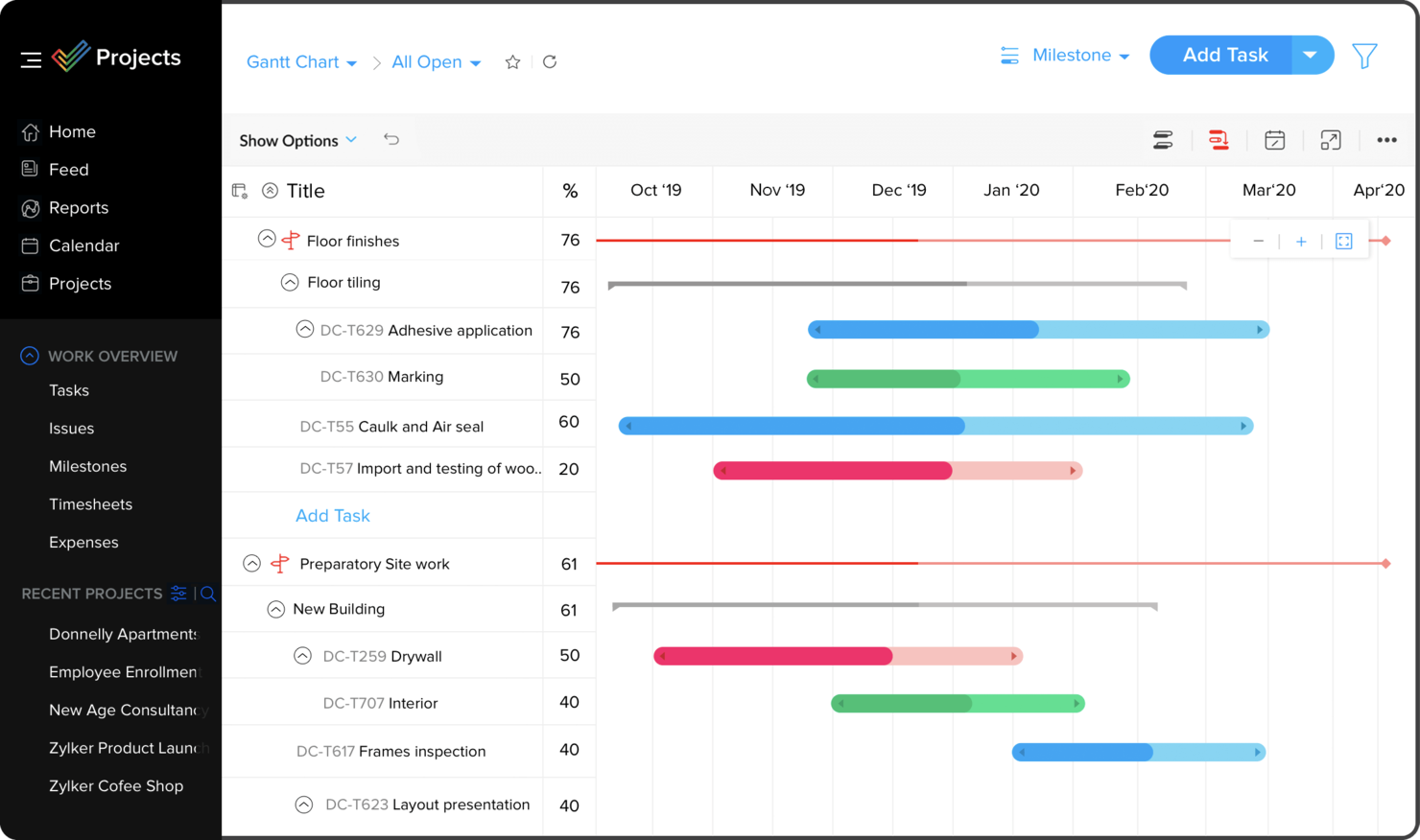
Microsoft Project is a classic for a reason. It’s a powerful and comprehensive project management tool that’s been around for decades. It’s known for its robust scheduling capabilities, resource management features, and ability to create detailed Gantt charts. It’s a bit of a beast to learn, but once you master it, you can manage even the most complex projects with ease.
- Pros: Powerful features, widely used, integrates with other Microsoft products.
- Cons: Steep learning curve, can be expensive.
- Best For: Large, complex projects with experienced project managers.
Asana
Asana is a more user-friendly project management tool that’s great for team collaboration and task management. While not specifically designed for construction, it can be adapted to manage construction projects by creating custom workflows and templates. It’s particularly strong for managing tasks, assigning responsibilities, and tracking progress.
- Pros: User-friendly interface, excellent collaboration features, affordable pricing.
- Cons: Not specifically designed for construction, requires customization.
- Best For: Smaller projects, teams that prioritize collaboration, and those looking for an affordable option.
monday.com
monday.com is a visually appealing and highly customizable project management platform. It uses a board-based interface to help you visualize your project workflow and track progress. It offers a wide range of templates specifically designed for construction, making it easy to get started. Its strength lies in its flexibility and ability to adapt to different project management styles.
- Pros: Visually appealing, highly customizable, offers construction-specific templates.
- Cons: Can be overwhelming due to its many features, pricing can be complex.
- Best For: Teams that need a visually engaging and customizable platform.
GanttPRO
GanttPRO is a dedicated Gantt chart software that’s perfect for creating and managing project schedules. It’s specifically designed for project managers who prefer a visual timeline approach. It offers features like resource allocation, task dependencies, and progress tracking, all within a user-friendly interface.
- Pros: Easy to use, dedicated Gantt chart software, affordable pricing.
- Cons: Limited features beyond Gantt chart functionality.
- Best For: Project managers who primarily need to create and manage Gantt charts.
Cost Management and Budgeting Tools
Keeping your project within budget is crucial. These tools help you track expenses, manage invoices, and forecast costs to avoid overspending.
Procore
Procore is a comprehensive construction management platform that includes robust cost management features. It allows you to track all project costs in real-time, manage budgets, and generate detailed reports. It’s a powerful tool for controlling expenses and ensuring profitability.
- Pros: Comprehensive cost management features, integrates with other Procore modules, real-time tracking.
- Cons: Expensive, complex to implement.
- Best For: Large construction companies with complex projects.
ConstructionOnline
ConstructionOnline is another popular construction management platform that offers a range of features, including cost management, scheduling, and CRM. It’s a cloud-based solution that allows you to access your project data from anywhere. Its cost management features include budget tracking, change order management, and invoice processing.

- Pros: Cloud-based, offers a range of features, relatively affordable.
- Cons: Can be overwhelming due to its many features.
- Best For: Mid-sized construction companies looking for a comprehensive solution.
Sage 100 Contractor
Sage 100 Contractor (formerly Sage Timberline Office) is a dedicated construction accounting software. It’s designed to handle all aspects of construction accounting, including job costing, payroll, and financial reporting. It’s a powerful tool for managing your finances and ensuring compliance.
- Pros: Dedicated construction accounting software, robust financial reporting, integrates with other Sage products.
- Cons: Can be expensive, requires accounting expertise.
- Best For: Construction companies that need a dedicated accounting solution.
Communication and Collaboration Tools
Effective communication is essential for keeping everyone on the same page. These tools facilitate communication between team members, subcontractors, and clients.
Slack
Slack is a popular messaging app that’s great for real-time communication and collaboration. You can create channels for different projects, teams, or topics, and easily share files and documents. It’s a great way to keep everyone informed and connected.
- Pros: Real-time communication, easy to use, integrates with other apps.
- Cons: Can be distracting, requires internet connection.
- Best For: Teams that need to communicate frequently and quickly.
Microsoft Teams
Microsoft Teams is another popular messaging and collaboration platform that’s part of the Microsoft 365 suite. It offers similar features to Slack, including chat, video conferencing, and file sharing. It’s a good option for teams that already use Microsoft products.
- Pros: Integrates with other Microsoft products, offers video conferencing, secure.
- Cons: Can be complex to set up, requires Microsoft 365 subscription.
- Best For: Teams that already use Microsoft products and need video conferencing capabilities.
PlanGrid (Autodesk Build)
PlanGrid (now Autodesk Build) is a mobile-first construction management app that’s designed for use on the job site. It allows you to access project documents, drawings, and specifications from your mobile device. It also offers features for communication, collaboration, and issue tracking.
- Pros: Mobile-first, allows access to documents on the job site, offers communication and issue tracking.
- Cons: Can be expensive, requires a subscription to Autodesk Construction Cloud.
- Best For: Teams that need to access project information on the job site.
Document Management Tools
Managing documents efficiently is crucial for avoiding errors and delays. These tools help you organize, store, and share project documents securely.
Dropbox
Dropbox is a popular cloud storage service that’s great for storing and sharing project documents. You can create folders for different projects and easily share them with team members, subcontractors, and clients. It’s a simple and affordable way to manage your documents.
- Pros: Easy to use, affordable, widely used.
- Cons: Limited features beyond file storage and sharing.
- Best For: Small projects and teams that need a simple document storage solution.
Google Drive
Google Drive is another popular cloud storage service that’s part of the Google Workspace suite. It offers similar features to Dropbox, including file storage, sharing, and collaboration. It’s a good option for teams that already use Google products.
- Pros: Integrates with other Google products, offers collaboration features, affordable.
- Cons: Limited features beyond file storage and sharing.
- Best For: Teams that already use Google products and need collaboration features.
Box
Box is a cloud storage service that’s specifically designed for businesses. It offers advanced security features, compliance certifications, and integration with other business applications. It’s a good option for construction companies that need a secure and compliant document management solution.
- Pros: Secure, compliant, integrates with other business applications.
- Cons: Can be expensive, complex to set up.
- Best For: Large construction companies that need a secure and compliant document management solution.
Choosing the Right Tools for You
So, there you have it – a rundown of some of the top tools for construction project management. But remember, the best tools for you will depend on your specific needs, budget, and project complexity. Don’t be afraid to experiment with different options and see what works best for your team. Consider these factors when making your decision:
- Project Size and Complexity: Larger and more complex projects will require more robust and comprehensive tools.
- Team Size and Collaboration Needs: If you have a large team that needs to collaborate closely, choose tools that facilitate communication and collaboration.
- Budget: Some tools are free, while others can be quite expensive. Choose tools that fit within your budget.
- Ease of Use: Choose tools that are easy to learn and use, so your team can adopt them quickly.
- Integration with Existing Systems: Choose tools that integrate with your existing systems, such as accounting software or CRM.
Ultimately, the goal is to find tools that will help you streamline your workflow, improve communication, and deliver projects on time and within budget. So, take your time, do your research, and choose wisely. Good luck, and happy building!
Frequently Asked Questions (FAQ) about Top Tools for Construction Project Management
What are the most important features to look for when choosing construction project management software for tracking budgets and costs?
When selecting construction project management software for budget and cost tracking, several key features are essential. First, look for robust budgeting capabilities that allow you to create detailed project budgets, allocate resources effectively, and track expenses against those budgets in real-time. Cost tracking features should enable you to monitor labor costs, material costs, subcontractor expenses, and other project-related expenditures. Reporting and analytics are crucial for providing insights into cost performance, identifying potential overruns, and making informed decisions. Integration with accounting software is also vital for streamlining financial processes and ensuring accurate cost data. Finally, look for software that offers change order management features to track and manage changes to the original project scope, as these often impact the budget significantly. For more information, you can refer to Best Project Management Software as an additional resource.
How can construction project management software help improve communication and collaboration between different teams and stakeholders on a large building project?
Construction project management software significantly enhances communication and collaboration by providing a centralized platform for all project-related information. Features like document management allow teams to share and access drawings, specifications, and other critical documents easily. Communication tools, such as built-in messaging and email integration, facilitate quick and efficient communication between team members, subcontractors, and clients. Task management features enable clear assignment of responsibilities and tracking of progress, ensuring everyone is on the same page. Real-time updates and notifications keep stakeholders informed of any changes or issues. Furthermore, cloud-based platforms allow for remote access, fostering collaboration regardless of location. By streamlining communication and centralizing information, these tools minimize misunderstandings, reduce delays, and improve overall project coordination.
What are some examples of construction project management software that are suitable for small residential renovation projects, and what are their key advantages?
Several construction project management software options are well-suited for small residential renovation projects. Buildertrend is a popular choice, offering features like client communication portals, scheduling tools, and budget tracking. Its advantage lies in its comprehensive suite of tools tailored for residential contractors. CoConstruct is another strong contender, known for its focus on customer satisfaction through features like change order management and selection tracking. Its key advantage is improving client relationships and minimizing disputes. monday.com, while not specifically designed for construction, offers flexible task management, collaboration, and automation features that can be easily adapted for renovation projects. Its advantage is its customizable nature and ease of use. Finally, Asana provides a streamlined task management system with good mobile accessibility, making it ideal for on-site coordination. Its advantages include simplicity and affordability. When selecting a tool, consider the specific needs of your projects and your team’s familiarity with technology.


